
Risk Strategies
The Risk Treatment option in the risk register enable a risk response or treatment strategy to be documented with review dates to be set. Typically, actions are then create based on this decision.
Risk Treatment Decisions and Risk Review Dates can be assigned to each risk identified by selecting the Risk Register and clicking on the Open Risk Detail arrow to the right of each risk entry within the register.
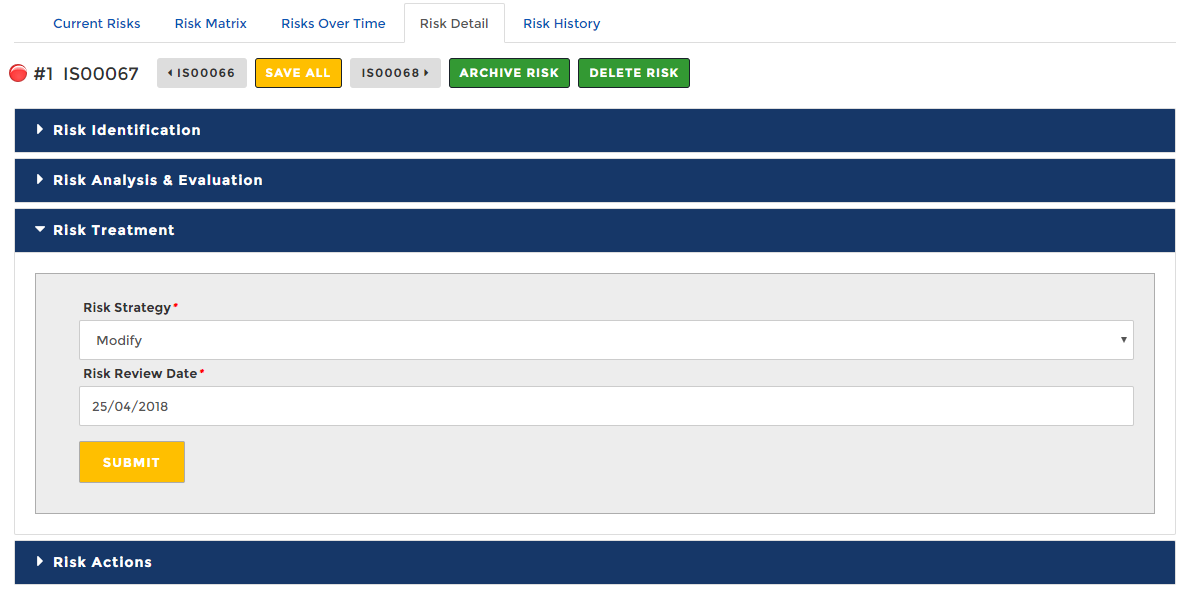
Overview of Risk Strategies
Abriska’s 31000 and Abriska 27001 modules allow full customisation of risk (response) strategies or treatments. Strategies that have been setup by Abriska are below, to change the order of this list drag and drop to reorder.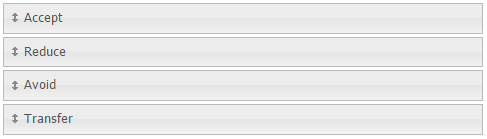
The default risk decisions are explained below.
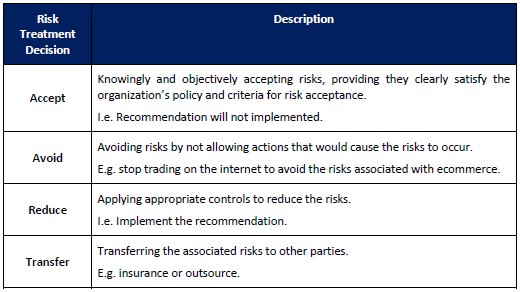
Note: The names of these risk treatment strategies can be modified for an organisation therefore, these values may be different for your organisation. These can be modified within Home -> Organisation -> RA Setup -> Risk Strategies.
Alternative names;
- Accept, Retain, Tolerate
- Reduce, Modify, Treat
- Avoid, Terminate
- Transfer, Share
New risk strategies/treatments can be created by going into Risk Assessment > RA Management > Configuration > Risk Strategies > selecting any of the default strategies to edit them, or to add more than 4, go to 'Create new Strategy'.
Back to Enterprise Risk Management Setup , Using the Enterprise Risk Register or Configuration for Information Security.