
Additional Organisation Setup
Organisation Setup
You can get here from: Dashboard > Organisation > Organisation Setup > (you will see Divisions, Documents, Contacts then) Organisation Setup.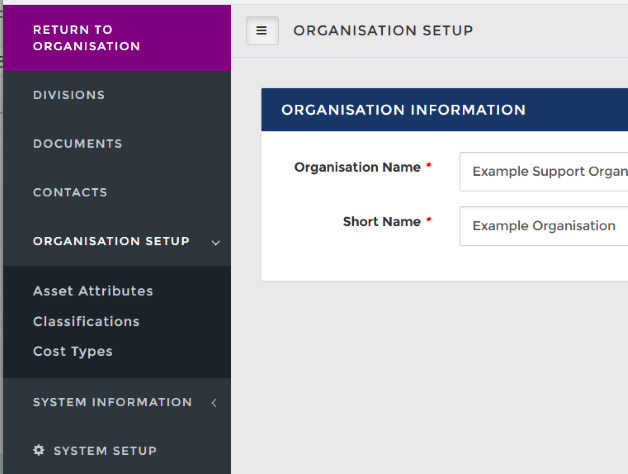
Additional Org Setup options
Asset Attributes
Assets, otherwise known as resources, require business impact analysis to be completed for Abriska 27001 and Abriska 27036 (when assessing supplier impacts for supplier criticality and questionnaire filtering). The analysis considers the consequences of a loss of confidentiality, integrity and availability (CIA) in business terms. The default impact scale 1-5 however this can be edited in this section of organisation setup along with editing the description of each level of impact.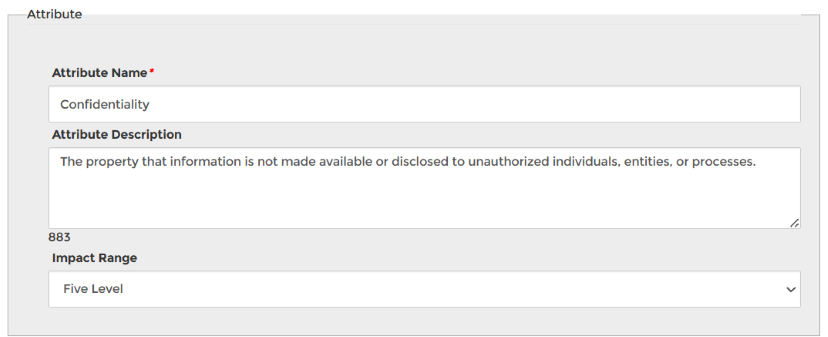
Attribute description
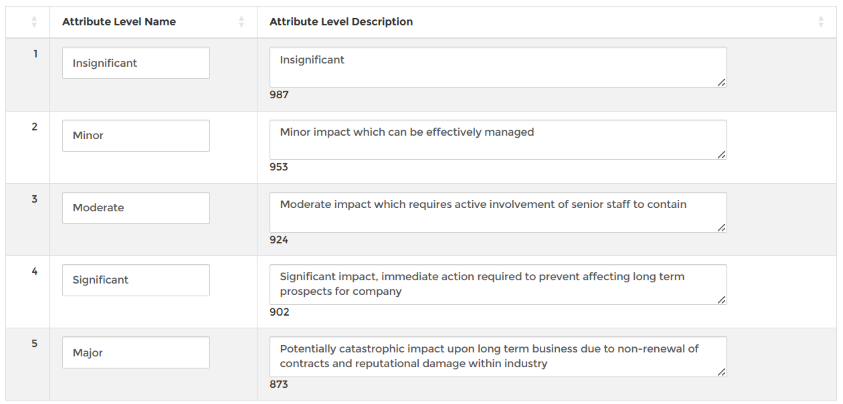
Table showing different levels that this attribute can be set to
Classifications
Relates to the classification of assets. This optional field for has been specifically set up to add a 'Classification' field into the Asset details page.
(Note: Not available within 27036).
27036, if you would like to set up a similar feature for the supplier risk management module please see the System Setup page for 'Custom Data Fields'.
We recommend following your asset classification policy. To create simple add a classification name and classification desciption. Our example shows three classification levels: Public, Internal and Confidential
Cost Types
Values set here are used when actions are set in risk treatment. To create a cost type, a name and symbol association must be set.
Back to Organisation Setup