
Reviewing Completed Questionnaires
How to review a questionnaire
From the Supplier dashboard > hover over the list image 'Questionnaires' should reveal. Here you will be presented with the supplier's questionnaires. You can view how many questions they have completed, when it was sent, started and completed and the risk score they have been allocated.
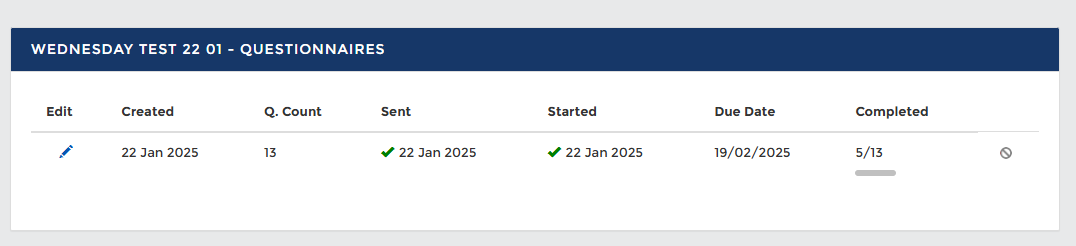
Questionnaire List
Review Questionnaire Responses
When a questionnaire has been completed by a suppliersupplier, the Relationship Owner will be notified. From the Supplier Dashboard > Questionnaires (for the desired supplier organisation) > list of questionnaires will be available > click 'Review' for the desired questionnaire you would like to analyse the answers of. There isare a few options infor which to reviewreviewing questionnaire answers.
- Full review - where *all* questions need to have a review
ticktick, and score confirmed. Questions can be clicked into if a revised score needs to be recorded. On the leftpanelpanel, clicking into 'Review all Questions' puts score revision and justification into a list view so multiple questions can be reviewed and revised in one go. - Individual question review - click into each
question andquestion, review the answer andscorescore, and submit -
QuestionQuestions with a 'text only' answer will not have a riskscore,score; this needs to be completed manually.
From the questionnaire review page, you can also assign owners; there may be specific individuals you want to assign certain questions to for appropriate review.
There is also the option to ‘reopenquestionnaire’questionnaire’, which allows the supplier to edit an answer and resubmit the question.
Risk Treatment
This is the supplier risk treatment strategy page. It will highlight to the user at what risk level the questionnaire classifies the- Accept – Knowingly and objectively accept the risk
- Reduce – Apply the recommendation, creating an action to be completed either by yourselves or the supplier. What can be done differently to reduce the risk?
- Avoid – Change or remove the service or product being supplied to avoid the risk
all together.altogether. - Transfer – Outsource/transfer the risks to other parties.
You must select and 'Submit' a review date before submitting a 'Risk Action'. Where a control assessment is inadequate, 'Risk Actions' can be created for remediation activity. Actions can be created on internal staff or supplier contacts. Actions are raised and recorded against a questionnaire rather than a control area.
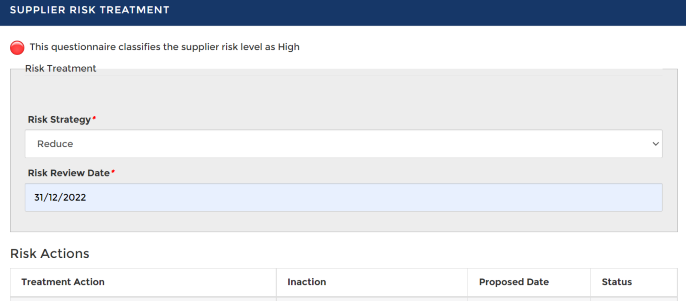 Risk Treatment and Action
Control Analysis
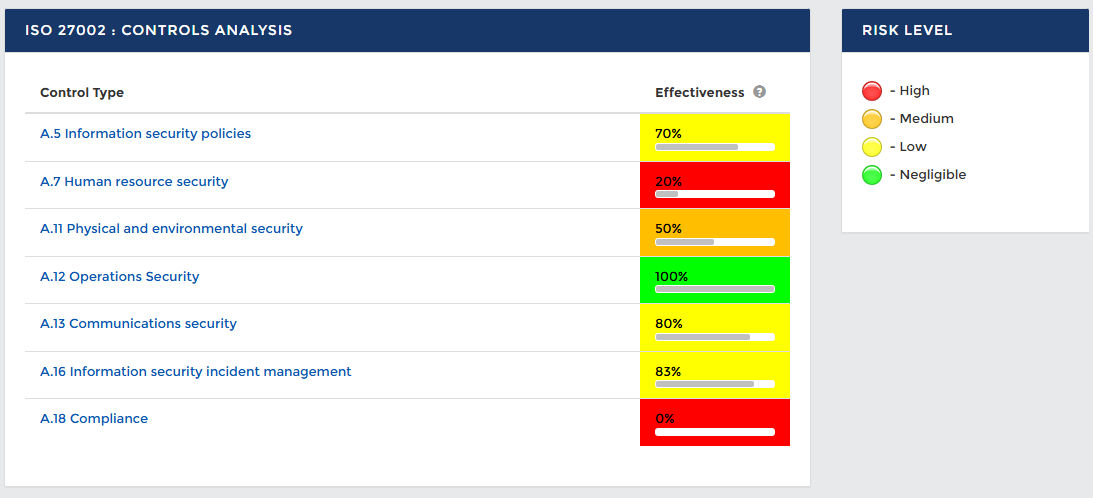
Control Analysis by Control Type
Attribute Analysis
ISO 27001:2022 saw the introduction of attributes as a way to sort or present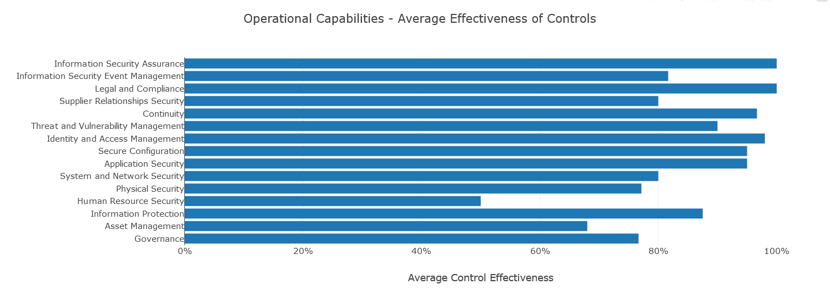
Attributes Control Effectiveness
Return to Supplier Risk Management