
What the Supplier sees
Distributing the questionnaire within the supplier organisation
Suppliers can invite members of the same organisation to complete a questionnaire.
To add additional users to answer questionsquestions, there are three steps:
Once the supplier is logged into Abriska, they must open the questionnaire they would like to add an additional user to.
1. Select 'Manage People' on the left sidebar
2. ’Add Contact’
3. Enter the email address of the user who requires access and press the search icon. This must match the same domain as the primary contact for security reasons.
Once added, the user will receive an email with details to create their own account.
Issuing guidance for suppliers
We recommend informing suppliers in advance that Abriska is being used to assess the suppliersupplier, as the questionnaires are sent as a default from the Abriska.com (note this can be customised through contacting URM Support). Suppliers need to be made aware that they need to complete the questionnaire in full and ‘Submit’ their response before it is made available to the issuing organisation.
The templates for supplier communications can be found under 'SRM Setup' > 'Supplier Communications'.
What the supplier sees
When the supplier has created an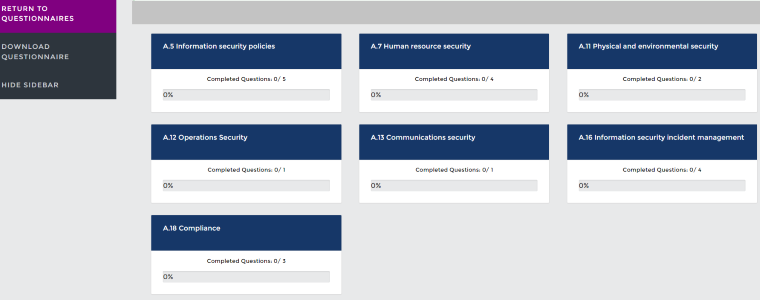
The Abriska profile for suppliers is clear and
The supplier contact needs to complete the survey so it is sent back to you for review.
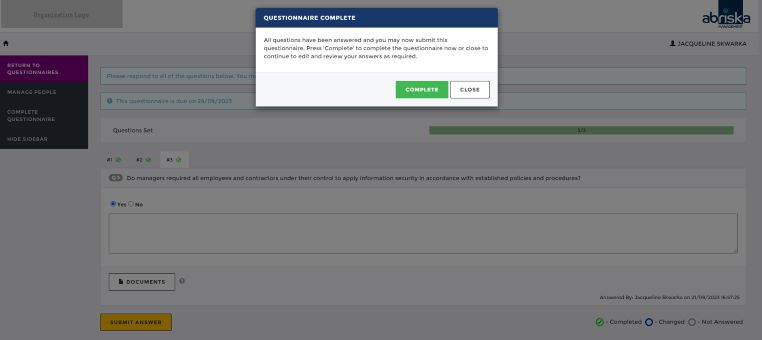
Types of supplier data that can be stored
When adding the supplier details, prior to sending the questionnaire, you can link documents for quick access in Abriska. Please see Documents under Organisation Setup. The supplier may also upload documents to supportAdditional fields can be created to hold information about each supplier. This may be information collected
Loading large number of suppliers
Contact URM SupportSupport, who are able to bulk load suppliers into Abriska.
Return to Supplier Risk Management